Features

Everything your build needs.

Built specifically for performance car enthusiasts. Every feature designed around how car people actually think and work.

Build Log

Every mod.
Every dollar.

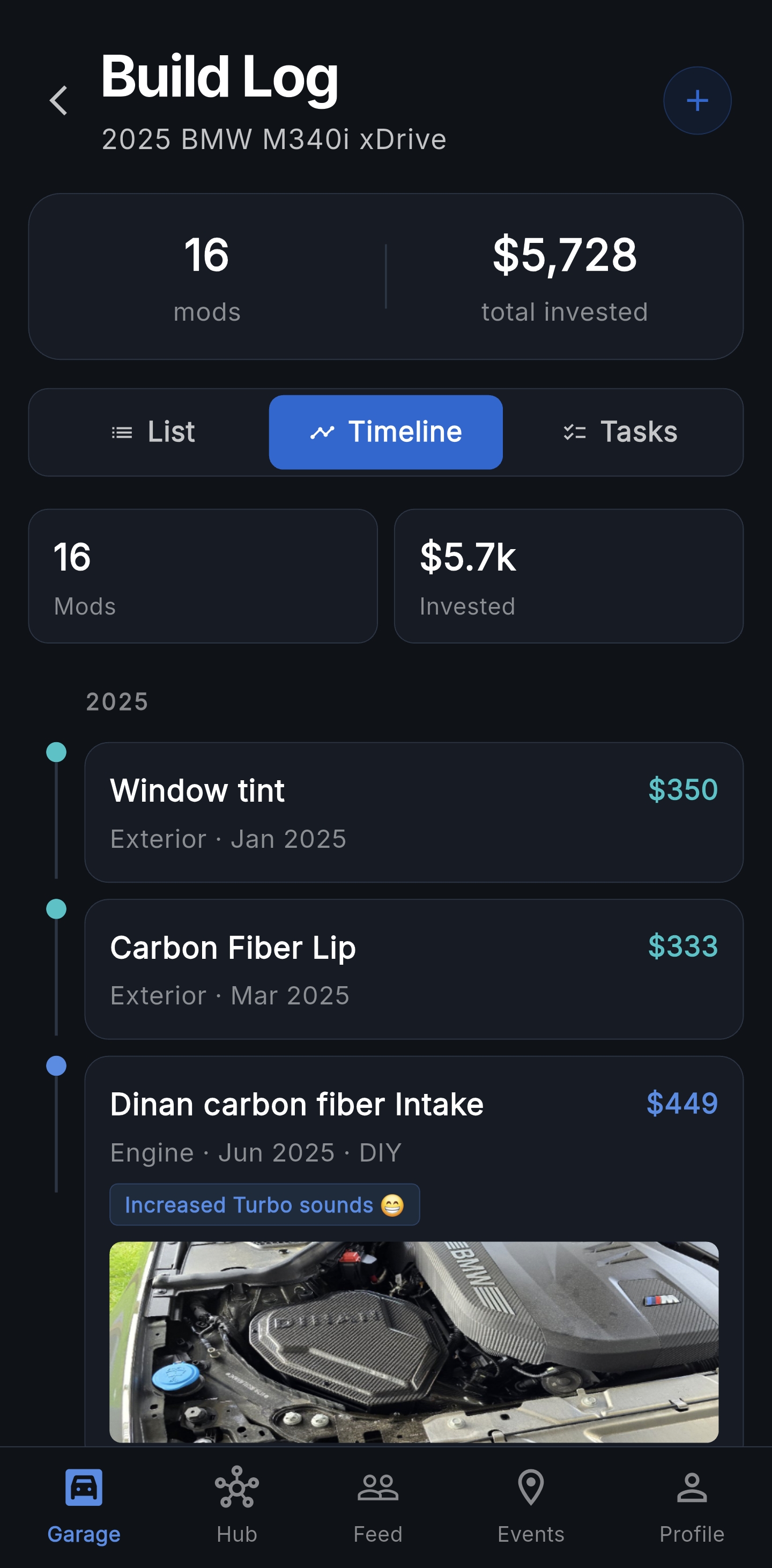
Log every modification with category, cost, date, shop or DIY. Add photos to each mod. View your full build story in Timeline view. Share with the community.

  • Tune, engine, exhaust, suspension, wheels and more
  • Track cost per mod and total invested
  • DIY vs shop tracking
  • Gain notes — "+42 hp, E30 ready"
  • Photo per mod — documents every install
  • Timeline view — your build story chronologically
  • Share to community feed
Build Log Timeline — 16 mods, $5,728 invested, chronological list of every install
Community Q&A

Real answers.
From real builds.

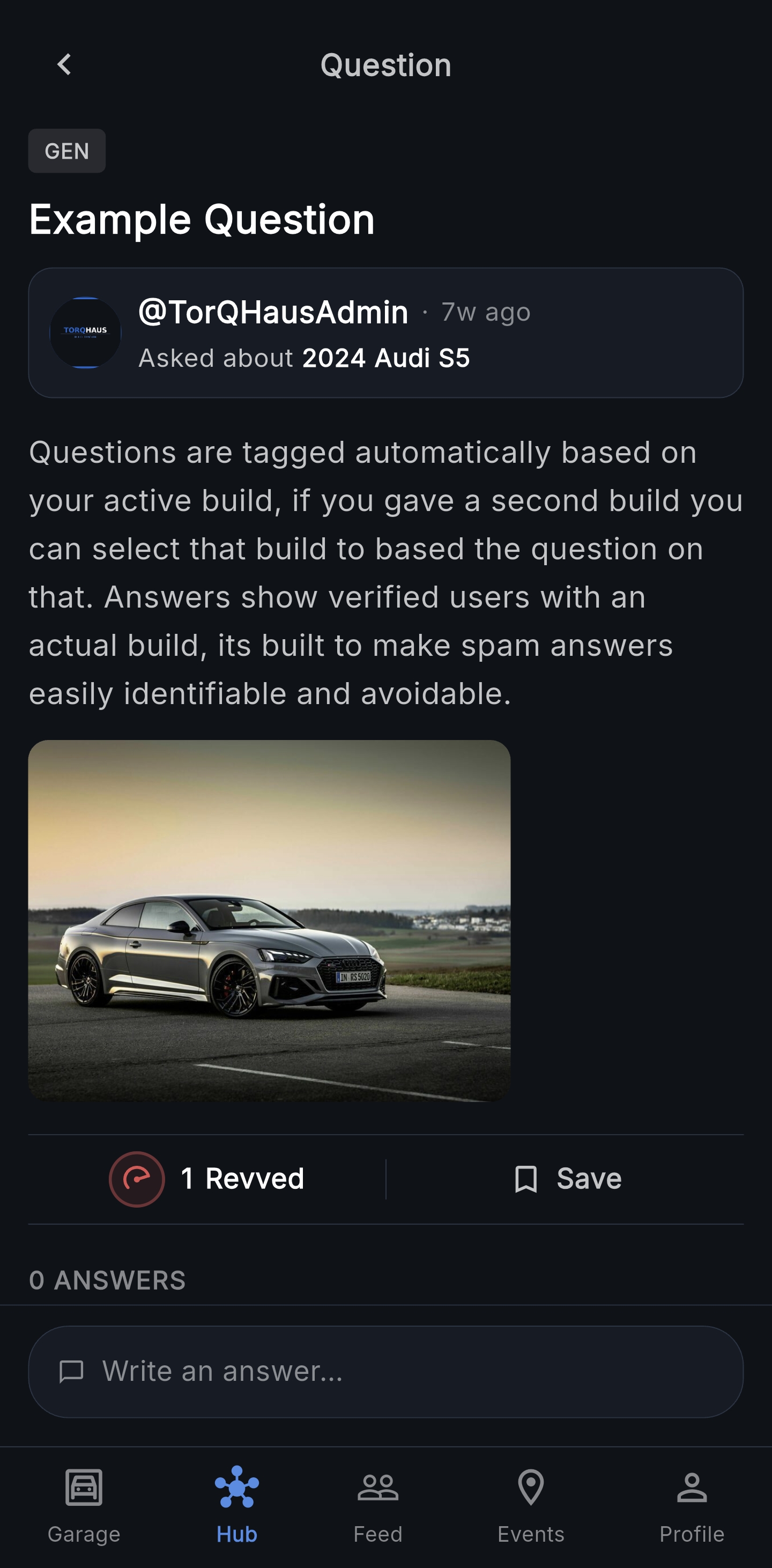
Ask questions tagged to your car make and category. Every answer shows the answerer's car, engine and power — so you know if the advice is worth taking.

  • 12 categories — engine, tune, suspension, brakes and more
  • Questions tagged to your car make
  • CarSnapshot trust signals on every answer
  • EXPERT badges — earned with 10+ accepted answers
  • Rev answers, accept the best one
  • Ask and answer build questions with other owners
Q&A question view — every answer shows the answerer's build so credibility is visible before you read a word
Leaderboards

Real numbers.
Real rankings.

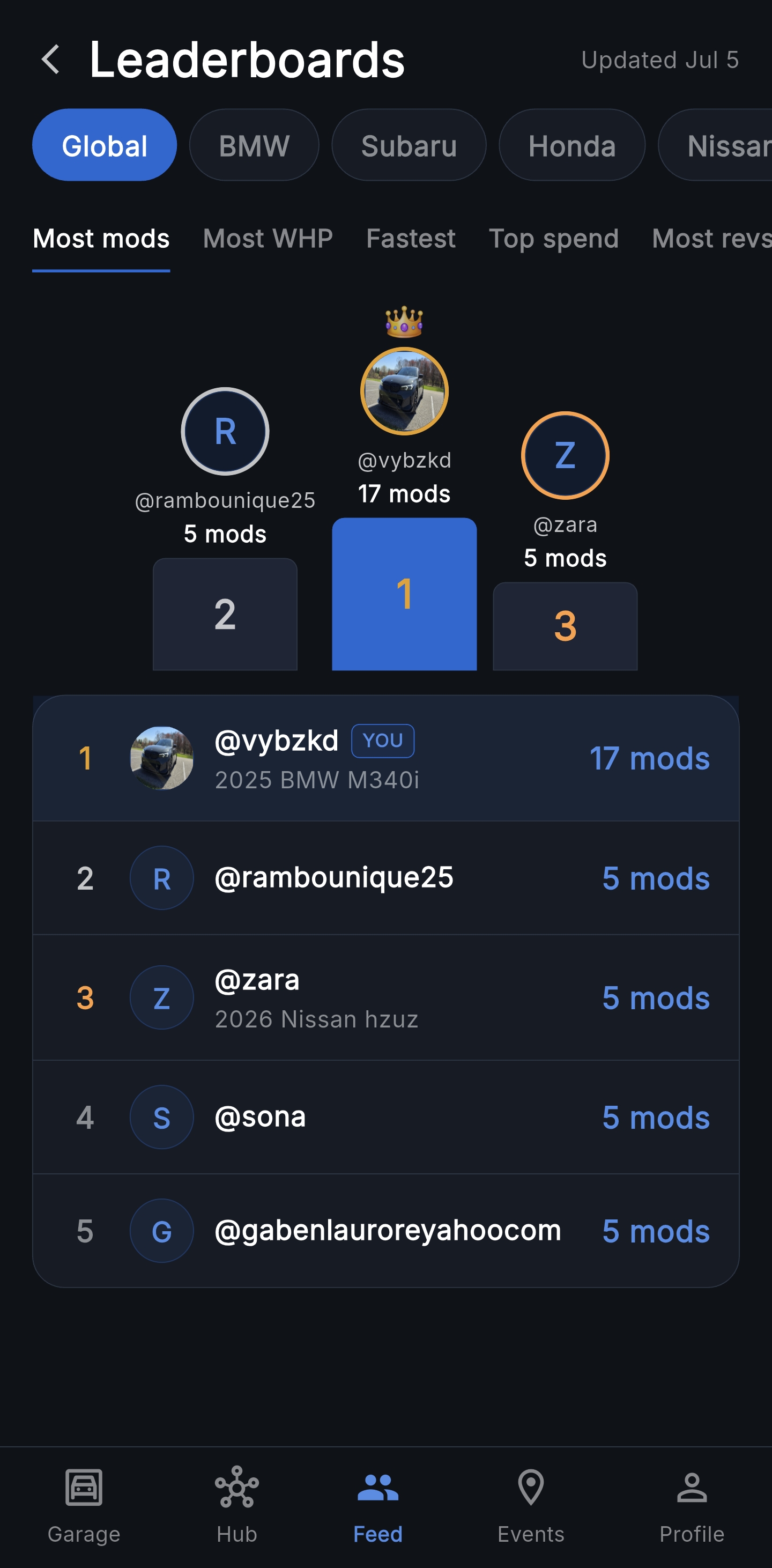
Global rankings rebuilt every Monday. Filter by make to see where you stand. WHP and Fastest leaderboards require verified runs — no self-reported numbers. Your rank means something here.

  • Most mods logged
  • Highest WHP — verified runs only ✓
  • Fastest 0-60 — verified runs only ✓
  • Top build spend
  • Most revs received
  • Filter by make — BMW, Subaru, Honda and more
✓ = verified run required. New run verification has been retired; runs verified before October 2026 still count.
Leaderboards — global 'Most mods' podium with your row highlighted below
Achievements

Earn badges.
Build your legacy.

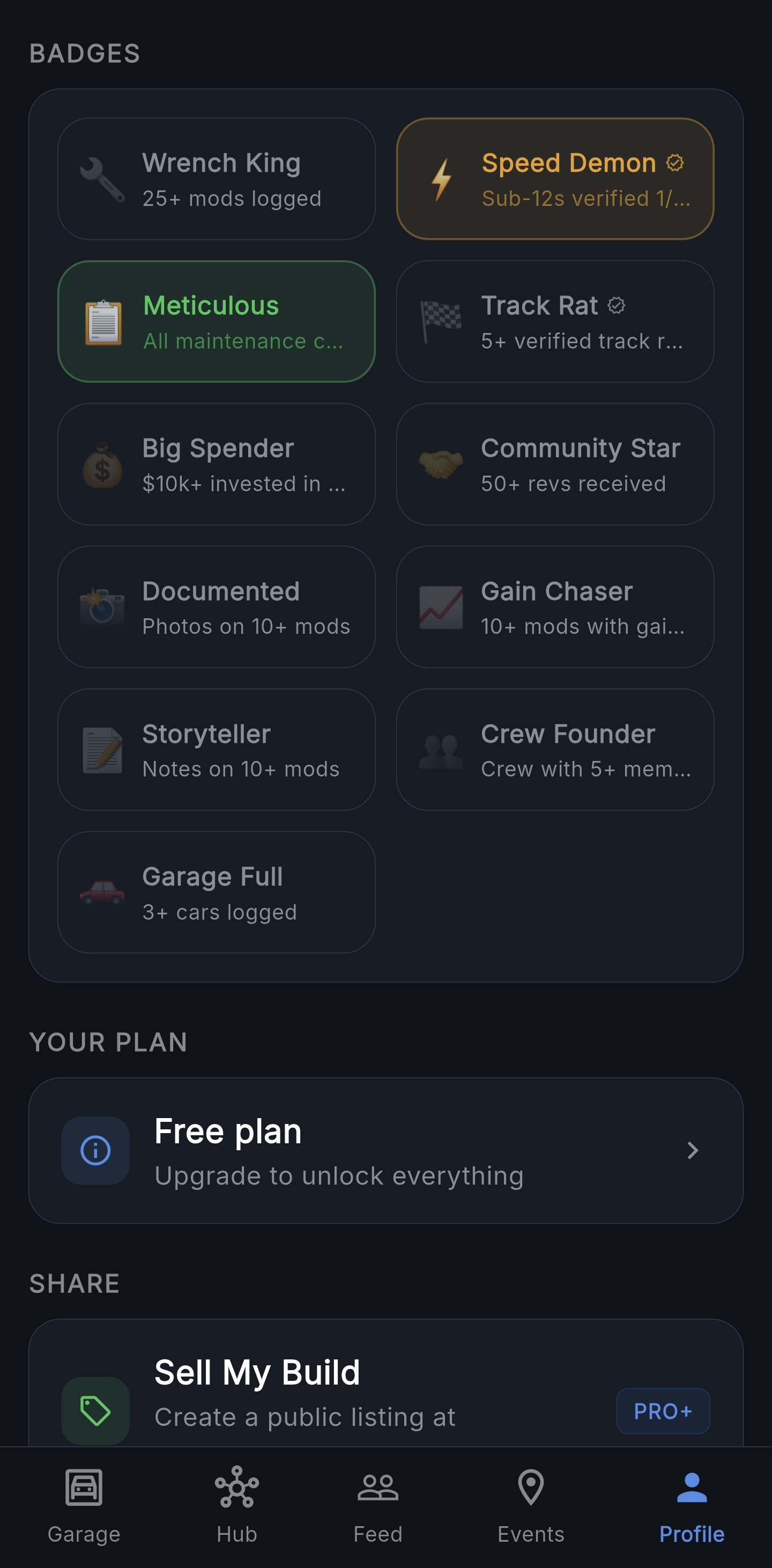
11 badges awarded automatically as you build. Tap any badge to see exactly how to earn it. Some badges require verified runs — your credibility has to be real.

  • 🔧 Wrench King — 25+ mods logged
  • ⚡ Speed Demon — sub-12s verified ¼ mile ✓
  • 📋 Meticulous — all maintenance current
  • 🏁 Track Rat — 5+ track runs, 1 verified slip ✓
  • 💰 Big Spender — $10k+ invested
  • 🤝 Community Star — 50+ revs received
✓ = verified run required. New run verification has been retired; runs verified before October 2026 still count.
Achievements grid — 11 badges awarded automatically as you build, with earned ones highlighted
News Feed

Car news.
Your makes only.

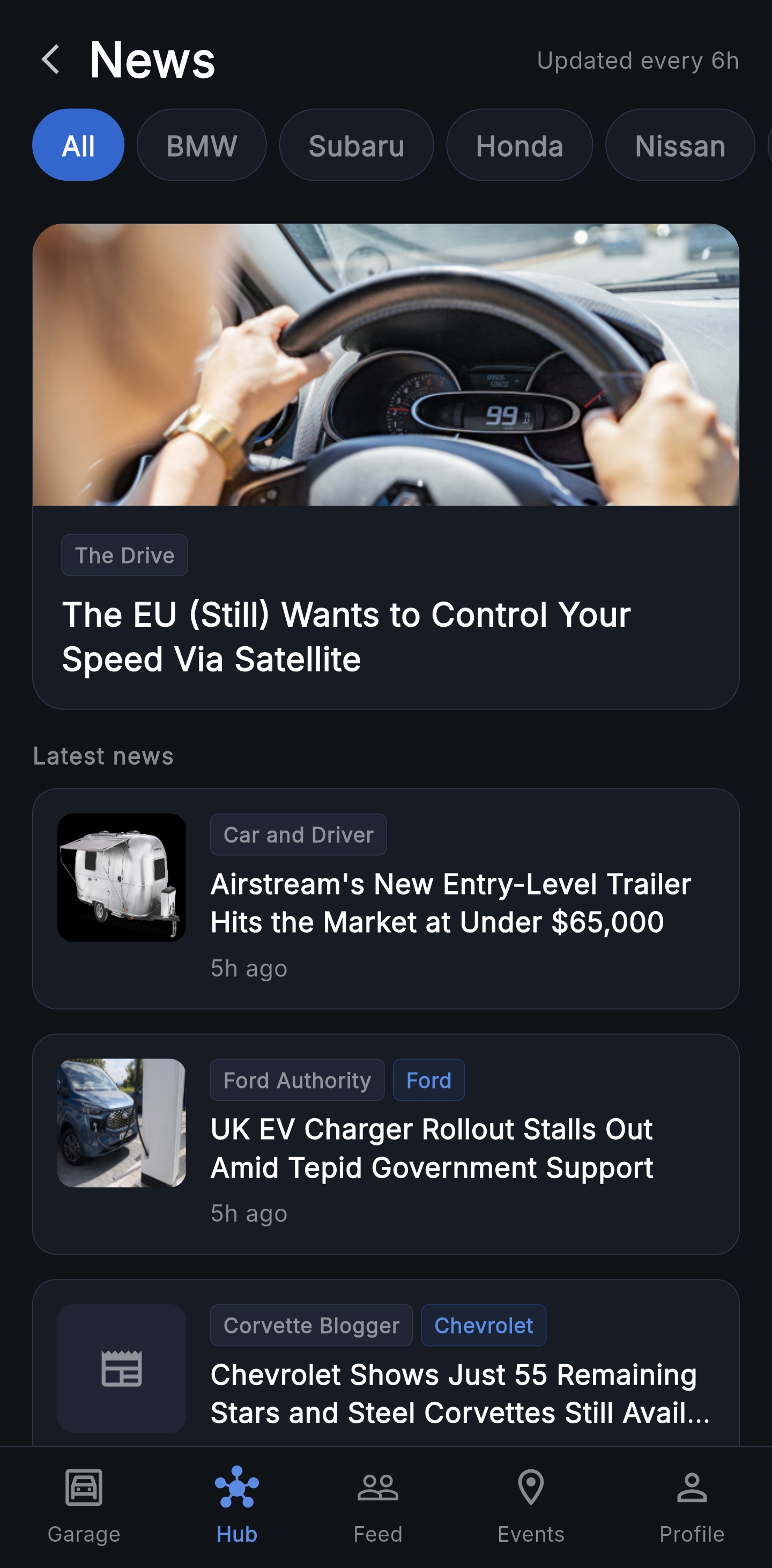
RSS news filtered to the makes in your garage. Updated every 6 hours from top automotive publications. Never miss what matters to your build.

  • Motor Trend, Car and Driver, The Drive, Jalopnik
  • Make-specific sources — BMW Blog and more
  • Auto-filters to your garage makes on open
  • Tap any chip to filter by make
  • Featured article + full list view
  • Updated every 6 hours automatically
News feed — automotive RSS filtered by make, with a featured hero article and stream of latest headlines
Marketplace

Buy and sell
within the community.

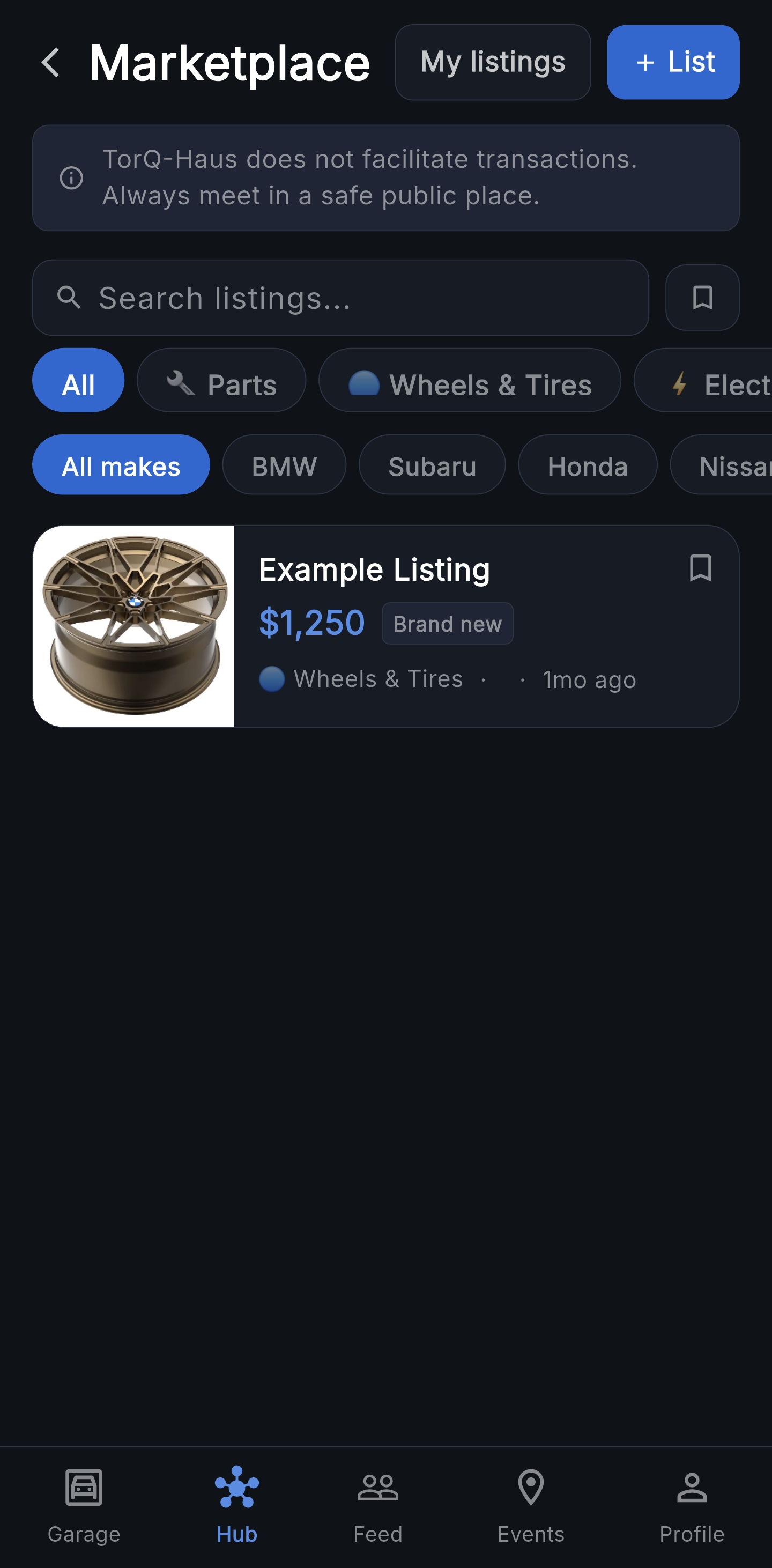
List parts, wheels, electronics and accessories directly to the TorQ-Haus community. Every listing shows the seller's car, engine and mod count — real credibility you won't find on Craigslist.

  • List parts, wheels, electronics, accessories or full builds
  • Seller's car and build stats shown on every listing
  • Up to 4 photos per listing
  • List directly from a Build Log mod — pre-fills title, photo, mileage at install, install date, and part number
  • Mark sold from My Listings — the linked mod enters a 60-hour Keep/Remove window in your build log
  • Contact via Instagram, phone or email — outside the app
  • Filter by make and category
  • Listings active for 30 days, easy to renew
  • No transactions — TorQ-Haus is the bulletin board
Marketplace listings filtered by category and make, with card-based part previews
Maintenance Tracker

Never miss
a service interval.

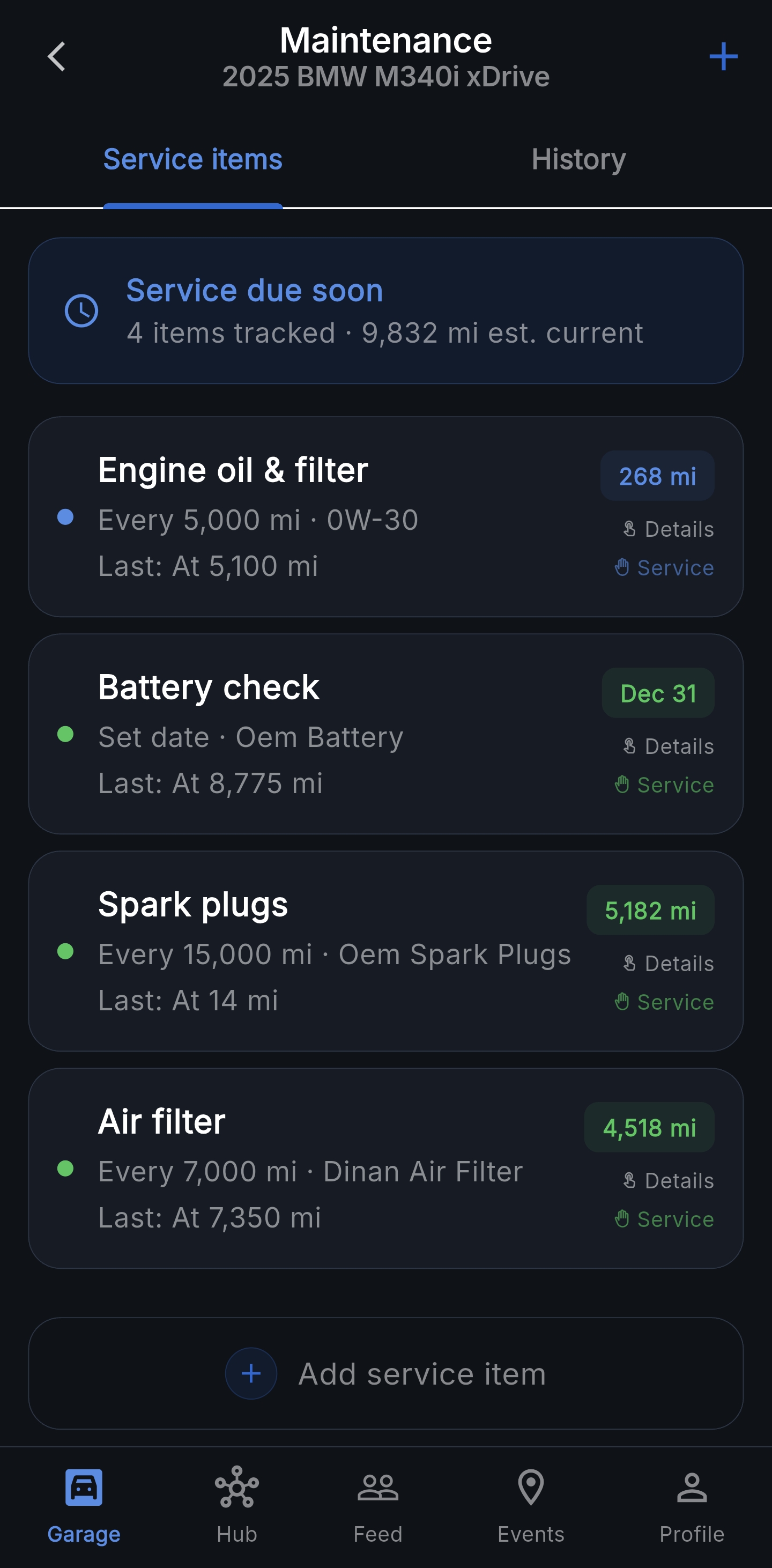
Set up service items by miles, months, or specific date. TorQ-Haus tracks your estimated mileage daily and notifies you before service is due.

  • Miles-based, months-based or date-based intervals
  • Push notifications before service is due
  • Full service history log
  • Service notes — torque specs, part numbers, tips
  • Service receipts with photo upload
  • Live mileage estimate based on daily driving
Maintenance service items — oil, battery, spark plugs, air filter with next-service mileage or date at a glance
Performance Log

Your numbers.
Every split.

Log 0-60, quarter mile, and dyno sessions with the full set of splits from your Dragy or time slip, plus the conditions on the day. Personal bests update as you go.

  • 0-60, ⅛ mile, ¼ mile with trap speed
  • Full Dragy data — 60ft, 330ft, 1000ft splits
  • Temperature, altitude, density altitude and slope
  • Personal bests tracked independently per metric
Performance Log
3.98s
0-60
11.22s
¼ mile
121
trap mph
⚡ DRAGY
1.67s
60ft
7.18s
⅛ mile
9.37s
1000ft
386
whp
Fuel Calculator

Mix it right.
Every time.

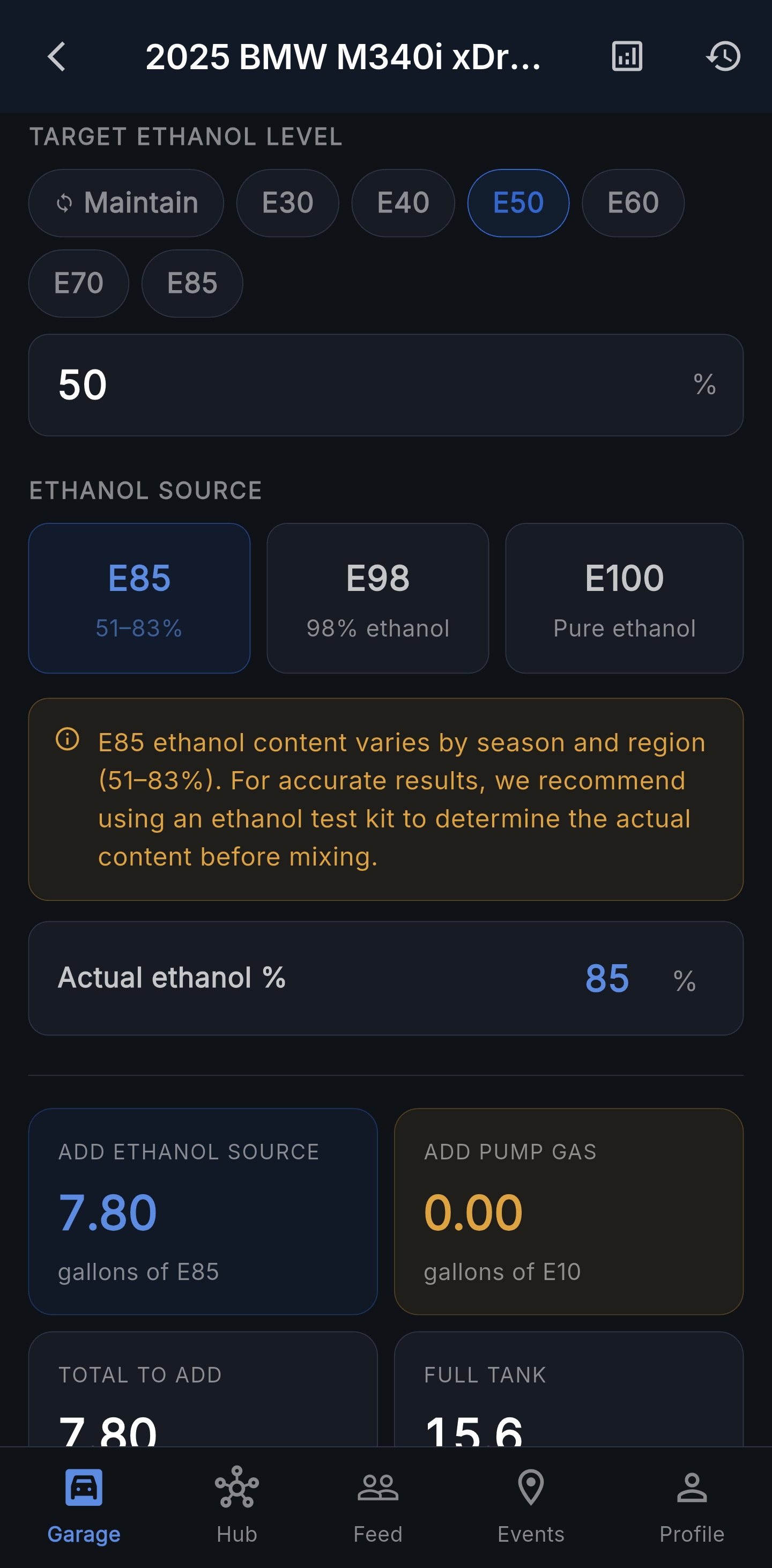
Calculate the perfect ethanol blend for your tune. Log every fill-up, track spend per mile, and see fuel analytics over time.

  • E30, E40, E50, E85 blend calculator
  • Tank top-off calculator
  • Fill-up log with cost tracking
  • Fuel history and analytics
  • Cost per mile breakdown
  • Monthly spend charts
Fuel calculator — target ethanol blend E50 with E85 and pump gas amounts to add for a full tank
Share My Build

A magazine-style
page of your build.

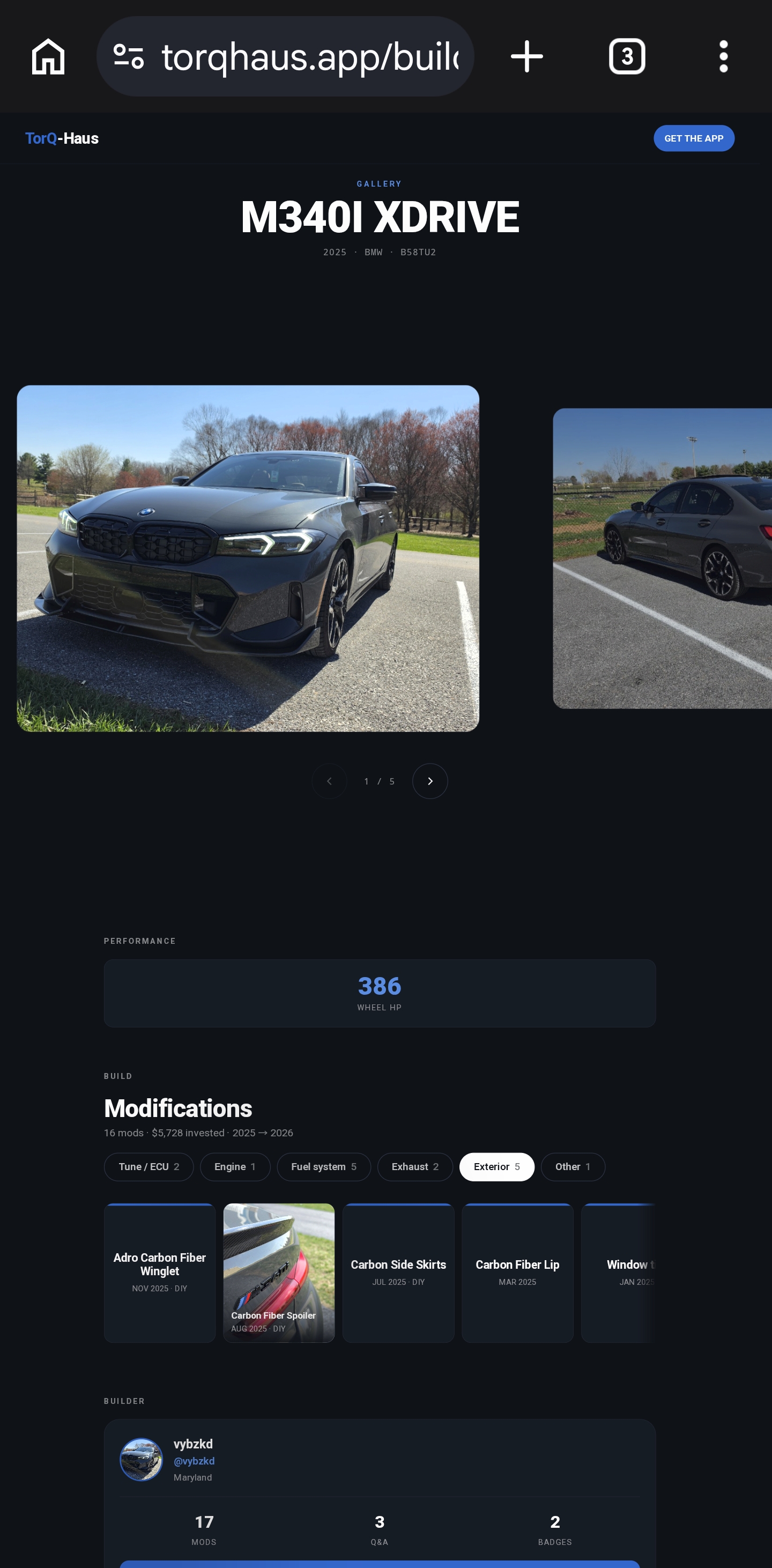
Send anyone a link to torqhaus.app/build/@yourname — no login required. A peek-style car gallery up top, every mod broken out by category, your real performance numbers, and the badges you've earned. Built for the brag-text.

  • Public page at torqhaus.app/build/@username
  • Editorial peek-style car photo carousel
  • Mods grouped by category with photo tiles
  • Best performance run automatically surfaced
  • Builder profile with badges + Q&A activity
  • Multi-car support — viewers can switch between your cars
  • Hide it anytime by toggling profile privacy off
Public build page at torqhaus.app — magazine-style car gallery, performance number, mods grouped by category, and builder profile
Tasks

From wishlist
to install.

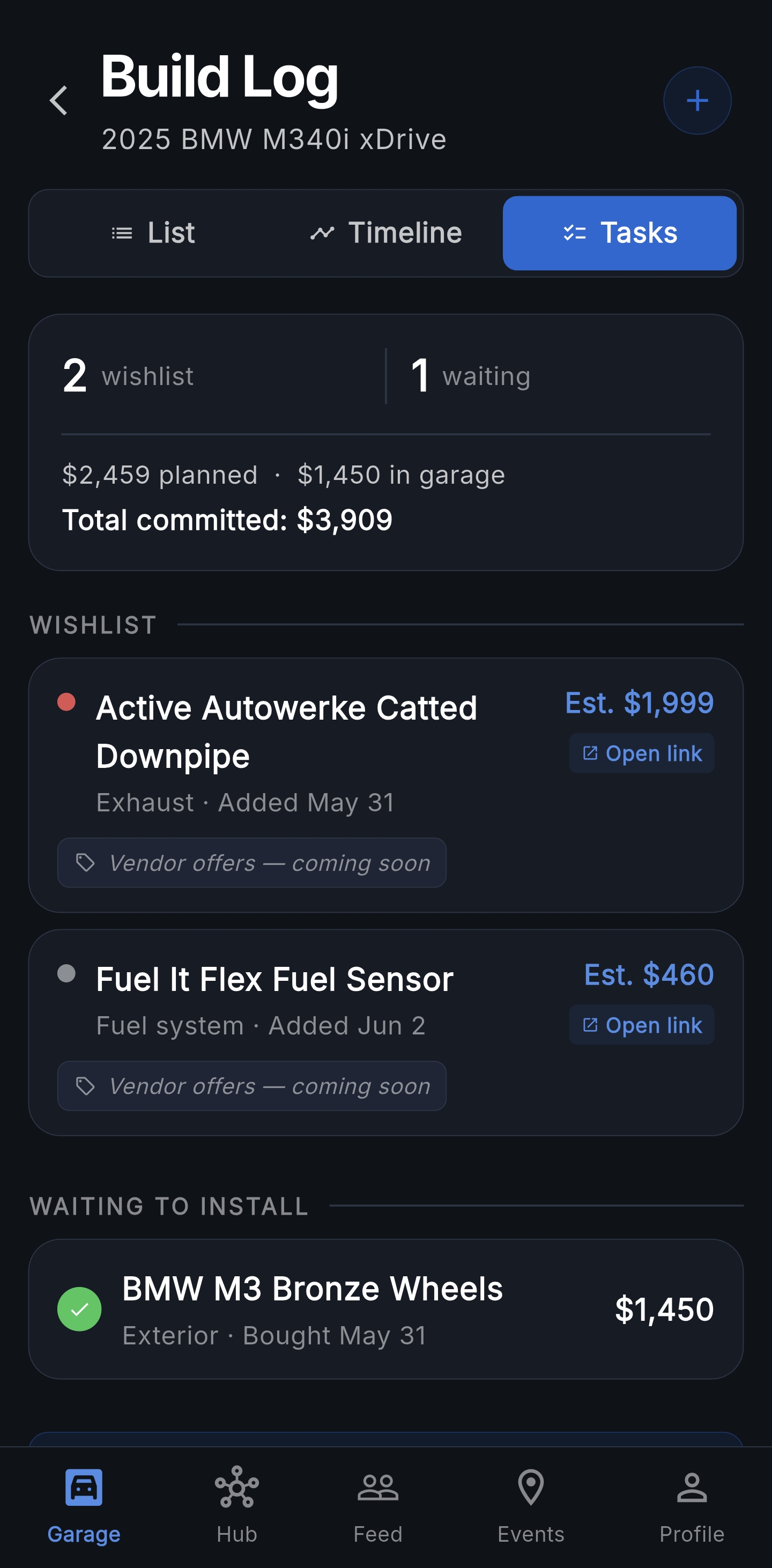
Plan every purchase before it lands in the garage. Save links from any vendor, mark items purchased when they arrive, and convert them into a build-log mod the day you install. Two-tap flow, zero spreadsheets.

  • Wishlist with brand, part name, estimated price, priority
  • Save vendor URLs — tap "Open link" to jump straight there
  • Waiting-to-install bay for items already purchased
  • One-tap install → pre-fills the Add Mod form
  • Part numbers carried through wishlist → mod → marketplace listing
  • Unlimited wishlist and waiting items
Tasks tab — wishlist and waiting-to-install items with vendor links and running total committed spend
Cruising Mode

Live convoy.
Real map.

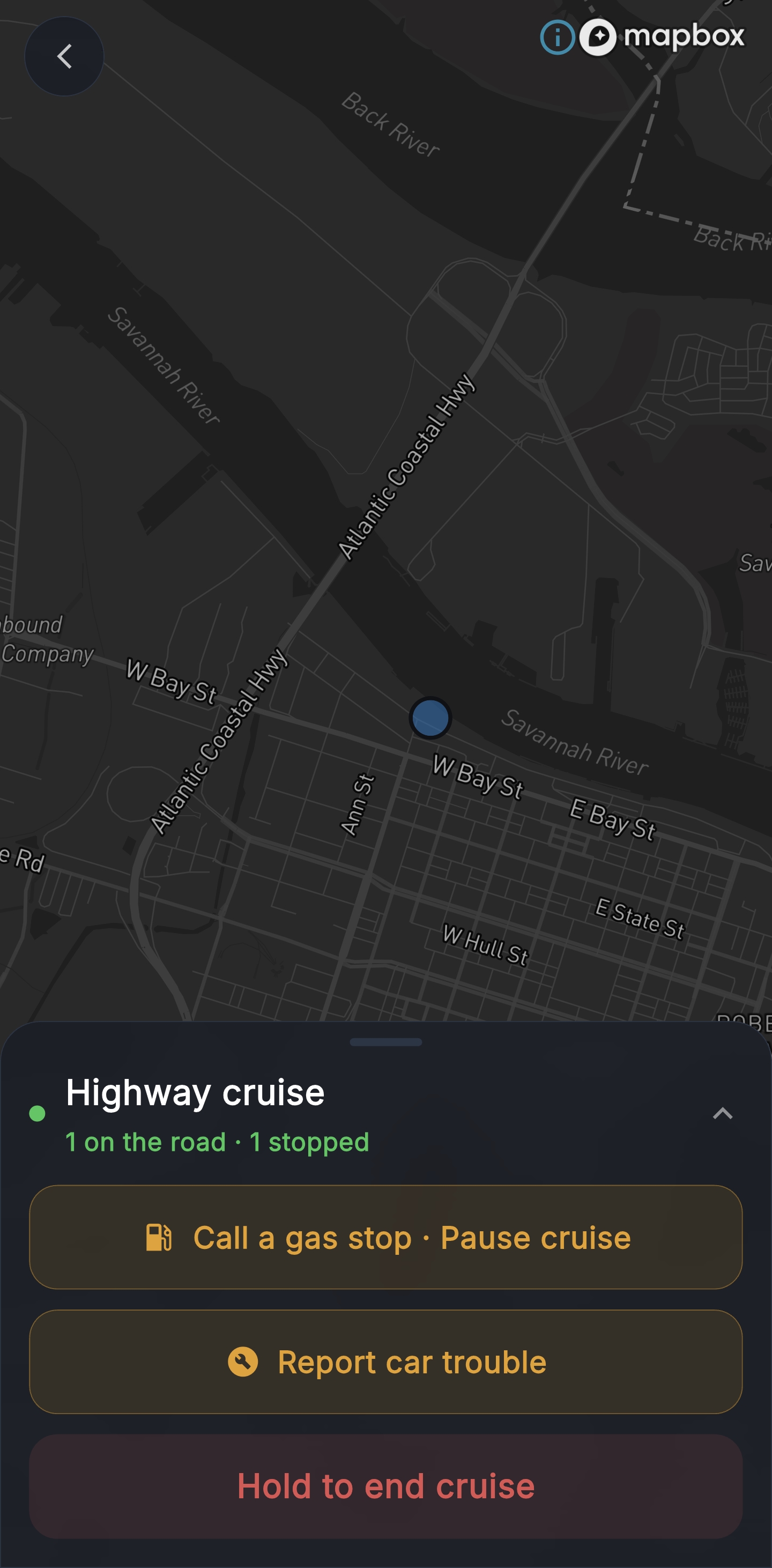
Schedule a cruise, hit start, and watch your whole crew light up on a dark Mapbox map. Status chips tell you who's close, who's behind, and who's lost signal — so the convoy stays together without anyone radioing positions.

  • Real-time GPS for every crew member on a dark-themed map
  • Convoy status chips: Close · Behind · Lost · No signal — weighted by GPS accuracy so tunnels don't false-alarm
  • Driving route line from your start to the destination
  • Gas-stop pause — leader pauses the convoy, members see GAS STOP on the map
  • Report car trouble — one tap broadcasts to the convoy + push to crew members not currently on the map
  • Auto-end on duration with a 5-minute heads-up; one-tap extend +30 min
  • 3-second hold to end — no accidental cruise kills while driving
  • Display-only while moving — a banner reminds drivers to pull over for changes
  • Save my route — opt-in per cruise, YOUR path only, stats included (distance, duration, top + avg speed)
  • Locations are deleted when the cruise ends — privacy by default
Cruising Mode live convoy map — dark Mapbox with crew positions, gas-stop pause and report-car-trouble controls, hold-to-end button
Service Receipts + Sell My Build

Document everything.
Prove it all.

Upload photos of service receipts to each maintenance entry. Then list your build publicly with a swipeable photo gallery, full mod and service history — ready for a serious buyer.

  • Photo receipt upload per service entry
  • Full receipt history by item
  • Sell My Build public listing page
  • Swipeable photo gallery — feature up to 10 build photos
  • Full build documentation — mods, receipts, runs
  • 30-day listing with easy renewal
  • Receipt access preserved if you downgrade
Service Receipts
Oil Change — Apr 18, 2026
✓ 2 receipts on file
Service records6
Receipts on file4

Ready to start tracking?

Download free. Add your first vehicle in under a minute.

Get it on Google Play